
kaleidoscope
a 3D First Person Shooter/Maya style camera for Processing
> ABOUT | FAQ | EXAMPLES | DOWNLOAD | REFERENCE
> HOME | javadocs
Use the GImage object to draw images in 3D space that always face the camera. Use cam.addImage( PImage ) to add an image to the drawing queue, and call cam.renderAll() to draw all images.
There are several ways to declare a new GImage:
GImage face = new GImage( cam );

				GImage face = new GImage( cam, faceImage );

				GImage face = new GImage( cam, faceImage, position );

				GImage face = new GImage( cam, faceImage, position, diameter );
You can also alter the GImage using:
setPosition( newX, newY, newZ );

				setDiameter( newDiameter );

				setImage( newImage );
Draw the images using:
cam.renderAll();
Example: brother
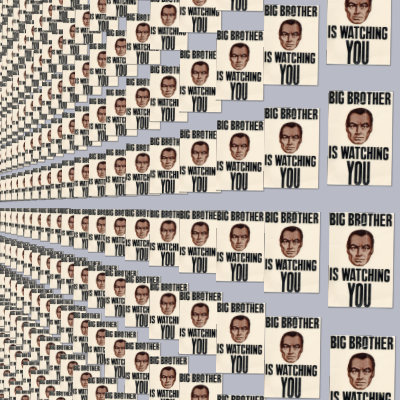
Example Code
import processing.opengl.*;
import kaleidoscope.*;
import toxi.geom.Vec3D;
import toxi.geom.Ray3D;
import java.awt.event.MouseEvent;
import java.awt.event.MouseWheelEvent;
import java.awt.AWTException;
import java.awt.Point;


Camera cam;

float horizontalSpacing = 150;
float verticalSpacing = 230;

int numVertical = 150;
int numHorizontal = 50;

float diameter = 200;

PImage lookImage;

void setup()
{
  size( 400, 400, OPENGL );

  cam = new AppCamera( this );

  lookImage = loadImage( "big-brother-poster.jpg" );

  loadImages();
}


void draw()
{
  background( 184, 186, 198  );
  cam.renderAll();

}

void loadImages()
{
  for( int x = 0; x < numHorizontal; x++)
  {
    for( int y = 0; y < numVertical; y++)
    {
      GImage tempGImage = new GImage( cam, lookImage );
      tempGImage.setPosition( x*horizontalSpacing, y*verticalSpacing, 0.0 );
      tempGImage.setDiameter( diameter );
      cam.addGImage( tempGImage );
    }
  }


}